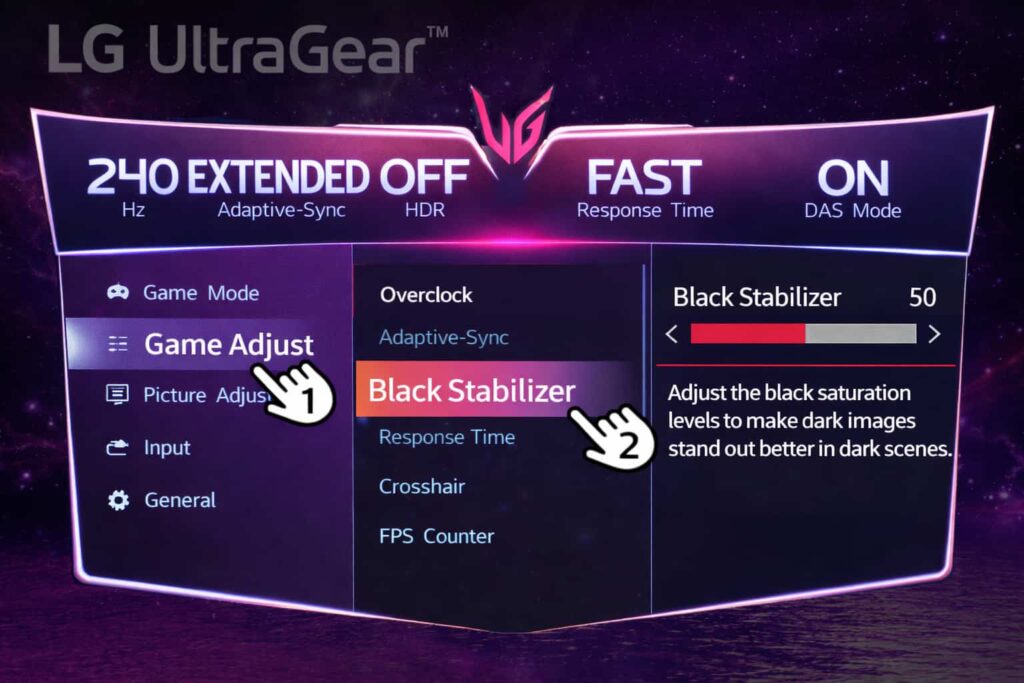
Among the many functions found on gaming monitors, there is a function that directly affects gameplay. One of those functions is Black Stabilizer.
Black Stabilizer is a function that makes dark areas easier to see without making bright areas too bright. It improves visibility in dark scenes. It improves visibility by changing how dark areas are displayed. This change affects how dark parts of the image appear on the screen.
There are several levels available. By increasing the level, visibility in darker areas increases. By lowering the level, the image returns closer to its original state. The level can be adjusted depending on how dark the scene is. This function is useful in dark stages. It is also useful in indoor areas. It is useful in scenes with little light. In these situations, dark areas appear often and visibility becomes important.
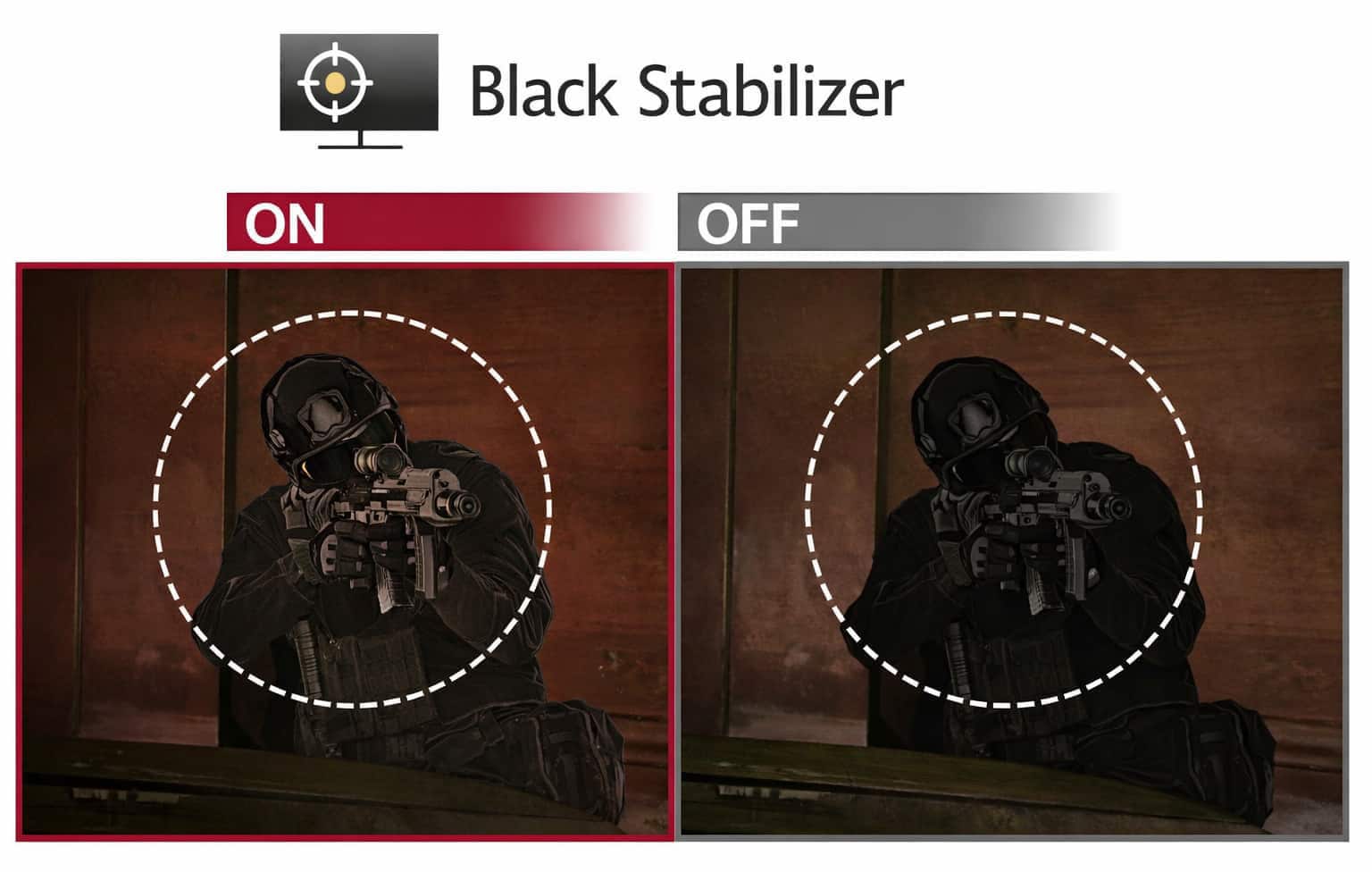
▲ Black Stabilizer settings screen. Increasing the level improves visibility in dark areas.
Difference when Black Stabilizer is off
When Black Stabilizer is turned off, enemies hiding in dark areas are difficult to see. In dark scenes, details blend into the background. Objects become hard to distinguish, and enemies become hard to distinguish. In areas with strong shadows, dark parts of the image merge together and details are lost in those areas.
In such situations, even if an enemy is present on the screen, it may not be recognized immediately. The enemy is there, but it is difficult to notice. This is especially noticeable in night stages. It is also noticeable in indoor areas. It is noticeable in areas with strong shadows where dark parts of the image dominate the screen.
Difference when Black Stabilizer is on
By increasing the Black Stabilizer level, dark areas become easier to see. Details that were hidden begin to appear. Enemies that were hidden in shadows can now be recognized. Dark parts of the image separate more clearly, making shapes easier to distinguish.
While it may be difficult to see the difference in images, visibility clearly improves during actual gameplay. The difference becomes clear while playing. By increasing the Black Stabilizer level, visibility in dark areas improves, and dark scenes become easier to understand. This is a function that should be adjusted depending on the game. The effect changes depending on the title.
Black Stabilizer levels
Black Stabilizer has multiple levels. As the level is increased, darker areas become brighter. At lower levels, the effect is small. Dark areas remain dark, but details start to appear. At higher levels, dark areas become clearly visible and details stand out more.
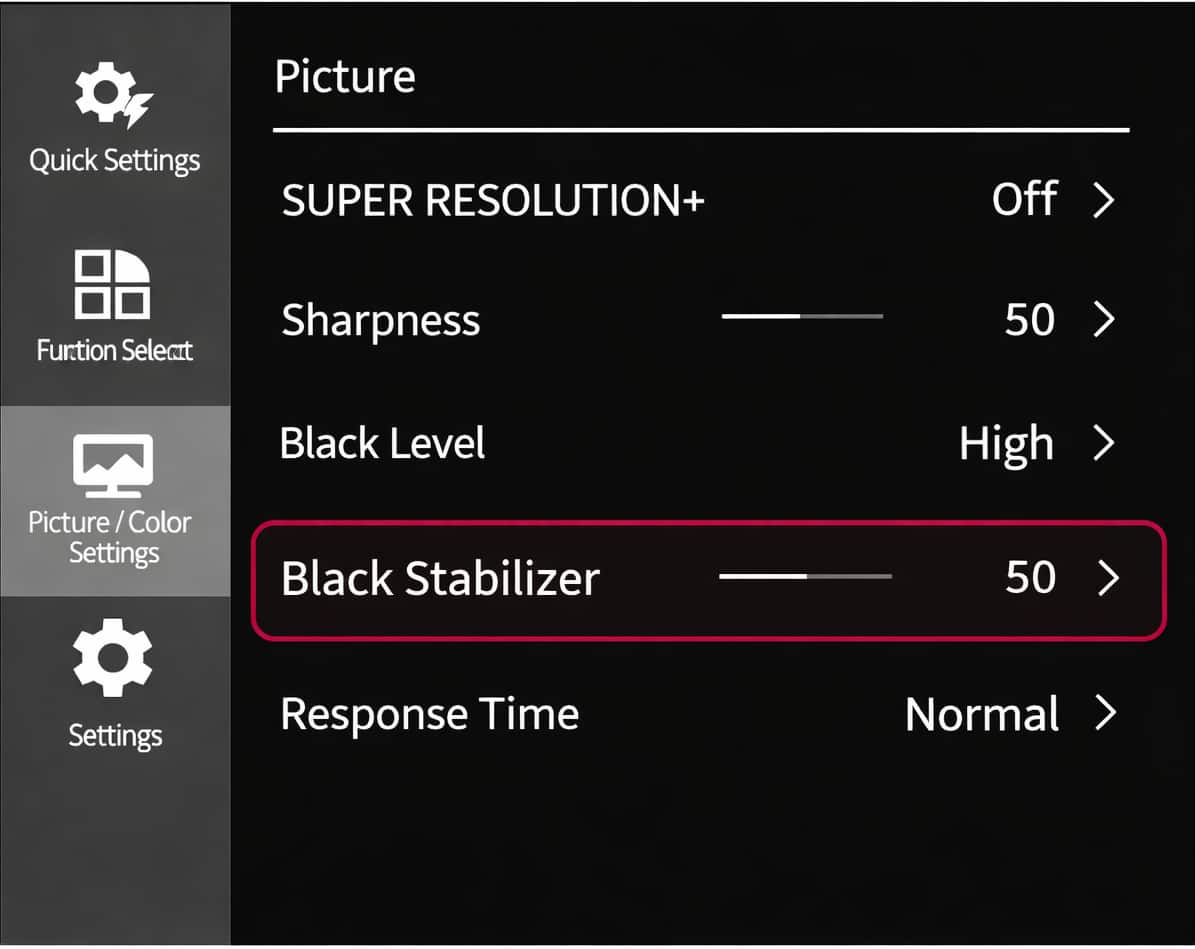
▲ Black Stabilizer settings screen. Increasing the level improves visibility in dark areas.
Increasing the level too much can reduce contrast. Dark areas may lose depth. The image may no longer look the same as before. For this reason, it is important to adjust the level according to the title being played. The correct level depends on the game. Some gaming monitors use similar functions, such as HDCR on MSI models, which changes how dark areas are displayed.
Impact during gameplay
In games where visibility is important, Black Stabilizer can be useful. By making dark areas easier to see, enemies can be recognized earlier. Movement can be recognized earlier. This can help during gameplay and reduce situations where details are missed. At the same time, increasing the level too much may make the image look flat. Dark areas may lose their original depth.
Because of this, Black Stabilizer should be adjusted based on the situation. Adjustment is important and depends on what is shown on the screen.
Games where the effect can be felt
Black Stabilizer is effective in games with dark environments. Indoor maps are one example. Night stages are another example. Caves and buildings are also areas where the effect can be felt. In these situations, increasing the level can improve visibility and make dark areas easier to see.
Games where adjustment is needed
In games that rely on atmosphere or visual presentation, Black Stabilizer may not always be suitable. Increasing the level too much can reduce the intended contrast of the image, and the original look of the image may change. In such cases, lowering the level may be better. Turning the function off may also be better.
How to adjust Black Stabilizer
Black Stabilizer can be adjusted through the monitor’s on-screen menu. Using the buttons or joystick on the monitor, open the settings menu. From there, select Black Stabilizer and adjust the level. The change is applied immediately, which makes it easy to compare visibility before and after adjusting the setting. The difference can be checked right away. On ASUS monitors, a function called Shadow Boost is used to make dark areas easier to see during gameplay.
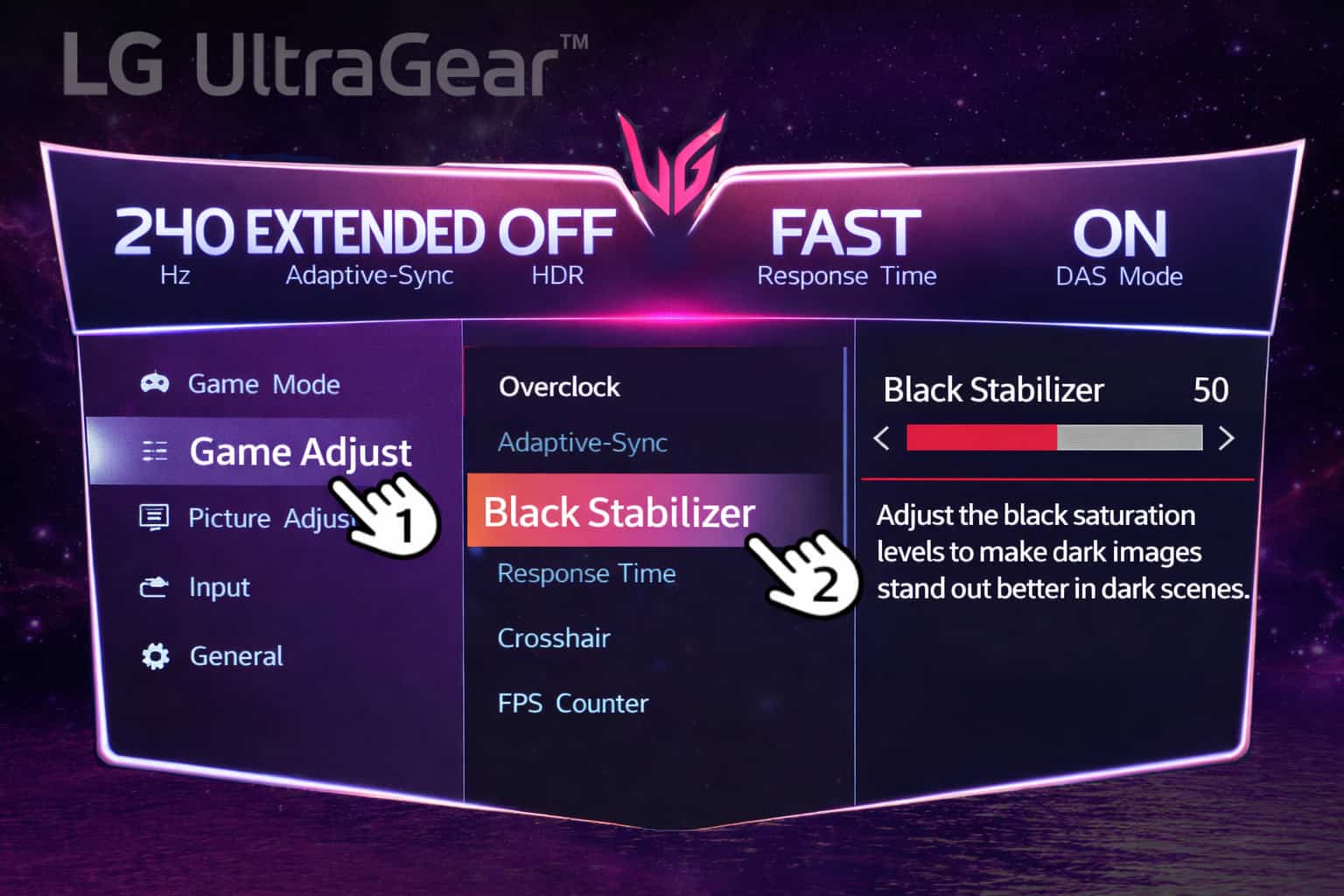
▲ The LG UltraGear on-screen menu showing the Black Stabilizer setting. Adjusting the level changes how dark areas are displayed, making details easier to see in dark scenes.
Black Stabilizer as a support function
Black Stabilizer does not change the game itself.It improves visibility by adjusting how dark areas are displayed. It makes dark scenes easier to see.By reducing the difficulty of seeing in dark scenes, it supports gameplay.
It is not a function that should always be turned on, and adjusting it according to the game is important. In addition to Black Stabilizer, some monitors use ASCR to adjust contrast when scenes become darker.
Summary
Black Stabilizer is a function that improves visibility in dark areas.By adjusting the level, dark scenes become easier to see and details become easier to recognize.The effect depends on the selected level, and the effect also depends on the game being played. Used properly, it can help improve visibility during gameplay.